- Home Page /
- Books /
- Computers & Technology /
- Graphics & Design /
- 3D Graphics /
- Beginner's Guide to Create Models With 3ds Ma...


Item #:
34263435
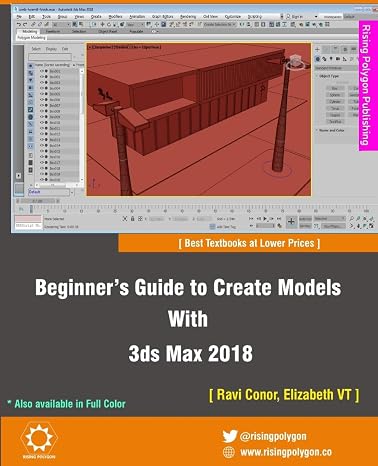
Beginner's Guide to Create Models With 3ds Max 2018
84% of respondents would recommend this to a friend
Item #:
34263435
XPF 4927
Price Details
Excluding Shipping & Custom charges ( Shipping and custom charges will be calculated on checkout )
*All items will import from US
0 ratings
Write a review
In stock
 Imported from USA store
QTY:
Order now and get it around Tuesday, September 22
Secured transaction
Ubuy works hard to protect your security and privacy. Our advanced payment security system ensures confidentiality by encrypting your information during transmission using AES (Advanced Encryption Standards) and SSL (Secure Socket Layer) protocols. Your payment details are 100% secure as we do not share your payment details with third party sellers.
Our Top Logistics Partners


The Beginner's Guide to Create Models With 3ds Max 2018, 3rd Edition offers a hands-on exercises based strategy for all those digital artists who have just started working on the 3ds Max no experience needed and interested in learning modeling in 3ds Max.

Fast
Shipping

Free
Return*

Secure Packaging

100% Original Products

PCI DSS Compliance

ISO 27001 Certified



What Stands Out
Comprehensive Learning
This guide provides a step-by-step approach for beginners, covering 3ds Max 2018 fundamentals to advanced modeling techniques, ensuring a solid foundation for creating professional-grade models.
Updated Content
The 3rd edition includes the latest features and enhancements of 3ds Max 2018, equipping readers with current industry practices and tools to stay competitive in digital modeling.
Supportive Resources
Along with clear tutorials and illustrations, this guide offers online resources and community support, making it easier for learners to troubleshoot and share experiences while mastering 3ds Max.
Product Details
| Publisher | CreateSpace Independent Publishing Platform |
| Publication date | August 16, 2017 |
| Edition | 3rd |
| Language | English |
| Print length | 331 pages |
| ISBN-10 | 197463101X |
| ISBN-13 | 978-1974631018 |
| Item Weight | 1.26 pounds (570 grams) |
| Dimensions | 7.5 x 0.75 x 9.25 inches (19.1 x 1.9 x 23.5 cm) |
Who Should Buy?

-
Aspiring 3D Artists
Perfect for beginners looking to master 3D modeling skills using 3ds Max software efficiently.
-
Game Developers
Ideal for individuals interested in creating 3D assets for video games, enhancing their design capabilities.
-
Visual Effects Students
Beneficial for students studying visual effects who want to understand model creation for film and animation.

-
Advanced Users
Not suitable for experienced 3D artists seeking advanced techniques or complex modeling workflows.
Product Description
Beginner's Guide to Create Models With 3ds Max 2018
Have any Query? Chat with us
Customer Questions & Answers
-
Question:
What is the Beginners Guide To Create Models With 3ds Max 2018?
Answer: The Beginners Guide To Create Models With 3ds Max 2018 is a comprehensive resource aimed at helping newcomers learn the basics of 3ds Max, a powerful 3D modeling software. This guide covers fundamental techniques, tools, and features necessary for creating 3D models, making it ideal for students, hobbyists, or anyone interested in the field of 3D design. By engaging with the guide, users will gain a foundational understanding of modeling, texturing, and rendering, enabling them to undertake their own creative projects effectively. -
Question:
Who is this guide suitable for?
Answer: This guide is particularly suitable for beginners with little to no experience using 3ds Max. It is also beneficial for enthusiasts who have previously tried their hand at 3D art but want to refine their skills. By following the structured lessons and practical examples, users can build their confidence and knowledge at their own pace, eventually moving on to more advanced techniques and project ideas. -
Question:
What topics are covered in the guide?
Answer: The guide encompasses a variety of essential topics including the user interface navigation, basic modeling techniques, texturing, lighting, and rendering. Additionally, it provides step-by-step tutorials that demystify complex processes, allowing beginners to grasp concepts like object manipulation and component modeling with clarity. This diversity ensures a well-rounded learning experience, preparing users for various projects within 3D modeling. -
Question:
Do I need prior knowledge of 3D modeling to use this guide?
Answer: No prior knowledge of 3D modeling is required to make the most of this guide. It is designed to cater specifically to beginners, ensuring that all concepts are introduced progressively. The easy-to-follow instructions and clear examples mean that even those unfamiliar with technical jargon can successfully learn and apply the material, fostering a strong foundation to build upon. -
Question:
Is 3ds Max 2018 available for all operating systems?
Answer: 3ds Max 2018 is primarily available for Windows operating systems. This means that users should have a compatible version of Windows to run the software effectively. It’s essential to check system requirements before installation to ensure optimal performance. While there are other 3D modeling programs available on different platforms, 3ds Max remains a favorite among professionals for its powerful capabilities and extensive feature set. -
Question:
Can I create animated models using this guide?
Answer: While the focus of the guide is primarily on creating static models, it also introduces concepts that can be built upon for animation. Users can learn the fundamentals of modeling first, and as they become more comfortable, they can explore animation techniques in 3ds Max. The guide serves as a stepping stone, laying the groundwork for more complex 3D projects that may involve animation. -
Question:
What resources are included in the guide?
Answer: The guide often includes a range of valuable resources such as tutorial videos, project files, and supplementary materials that enhance the learning experience. These resources provide practical examples and allow users to follow along with the lessons directly. Supplementary files can also be useful for hands-on practice, enabling users to apply their knowledge in real-time, thereby reinforcing learning. -
Question:
How long does it take to complete the guide?
Answer: The time it takes to complete the guide varies depending on individual learning pace and the amount of practice dedicated to the material. Typically, users might spend several weeks to a couple of months mastering the concepts thoroughly. By allocating regular time to practice, users can systematically work through the lessons and progressively improve their 3D modeling skills. -
Question:
Where can I buy Beginners Guide To Create Models With 3ds Max 2018 in French Polynesia?
Answer: You can buy the Beginners Guide To Create Models With 3ds Max 2018 from Ubuy. They offer a wide range of products and provide seamless access to this guide, making it easy for users in French Polynesia to obtain the resource they need for their 3D modeling journey.
3D Graphics Editorial Review
No editorial reviews found
Customer Reviews & Ratings
1 customers ratings
-
5 Star
100%
-
4 Star
0%
-
3 Star
0%
-
2 Star
0%
-
1 Star
0%
Review this product
Share your thoughts with other customers
Pros
- Easy to follow instructions
- Great for beginners
- Covers essential techniques
- Engaging examples
- Helpful tips throughout
Cons
- Some advanced topics are missing.
Platform Trust & Buyer Confidence

JK
Jasmin
Verified buyer
“Great products and very good service: very easy and very fast international delivery.”
9 September 2026 · via Trustpilot
AG
Anke
Verified buyer
“Wonderful online shopping experience, smooth transaction from the start. Payment method works conveniently and delivery is unexpectedly fast and reliable. You go the extra mile for service. What makes this even more amazing, you deliver to Namibia. I will remain a happy Ubuy customer and will increase my purchases for sure! Thank you!”
10 September 2026 · via Trustpilot
H
Hazel
Verified buyer
“Very easy to find the products what you need, and so fast delivery, that’s why I highly recommended to others costumers to used ubuy.”
10 September 2026 · via Trustpilot
O
Opaleye
Verified buyer
“I received exactly what I ordered I was skeptical about your site because that was my first time to order. But the order came timely and neatly packaged. I was not disappointed. Thank you.”
11 September 2026 · via Trustpilot
AC
Adele
Verified buyer
“Easy to find and order what you want on the website. Delivery is quick to the UK”
8 September 2026 · via Trustpilot
Secure Checkout
Global Delivery
Easy Returns
Genuine Products
Product Price History
Important information
- Limitations : For products shipped internationally, please note that any manufacturer warranty may not be valid; manufacturer service options may not be available; product manuals, instructions, and safety warnings may not be in destination country languages; the products (and accompanying materials) may not be designed in accordance with destination country standards, specifications, and labeling requirements; and the products may not conform to destination country voltage and other electrical standards (requiring use of an adapter or converter if appropriate). The recipient is responsible for assuring that the product can be lawfully imported to the destination country. When ordering from Ubuy or its affiliates, the recipient is the importer of record and must comply with all laws and regulations of the destination country.
- Not all the products listed on Ubuy are for sale, as Ubuy is a global search engine. Products are subject to export/trade regulations.
XPF 4927
Order now and get it around Tuesday, September 22
This item is not restrict in my country.(Please click on above link if this item is not restrict in your country, So our team will review and allow.)
QTY:
Secured transaction
PCI DSS compliant and ISO 27001:2022 certified, with encrypted payments and full buyer protection on every order.
Our Top Logistics Partners
Fastest cross-border delivery
Features & Benefits
- Hands-on exercises based strategy for beginners
- Step-by-step guide for modeling
- Teaches important concepts in an easy to understand language
- 34 hands-on exercises to hone skills
- Detailed coverage of tools and features
- 3ds Max files and textures available for download
Ubuy Assurance
Experience worry-free shopping with 100% original products, PCI DSS-compliant payment security, ISO 27001-certified data protection, the fastest cross-border delivery, free returns *, and secure packaging on every order.